Nortel trace diagnostic
Diagnose Nortel (Avaya) 8600 CPU trace files
Or any other log file (Linux / Apache / Routers / Firewalls ..)
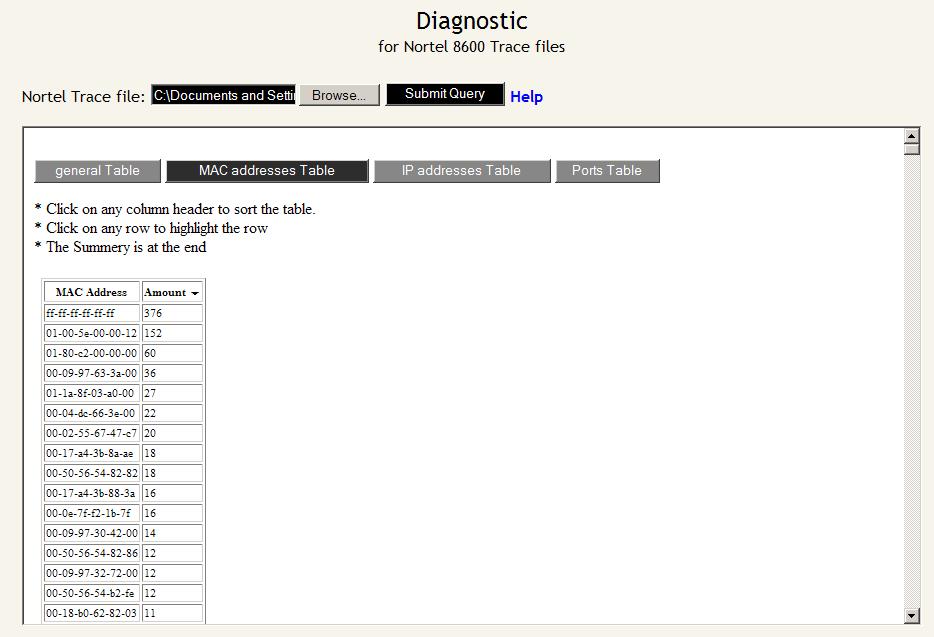
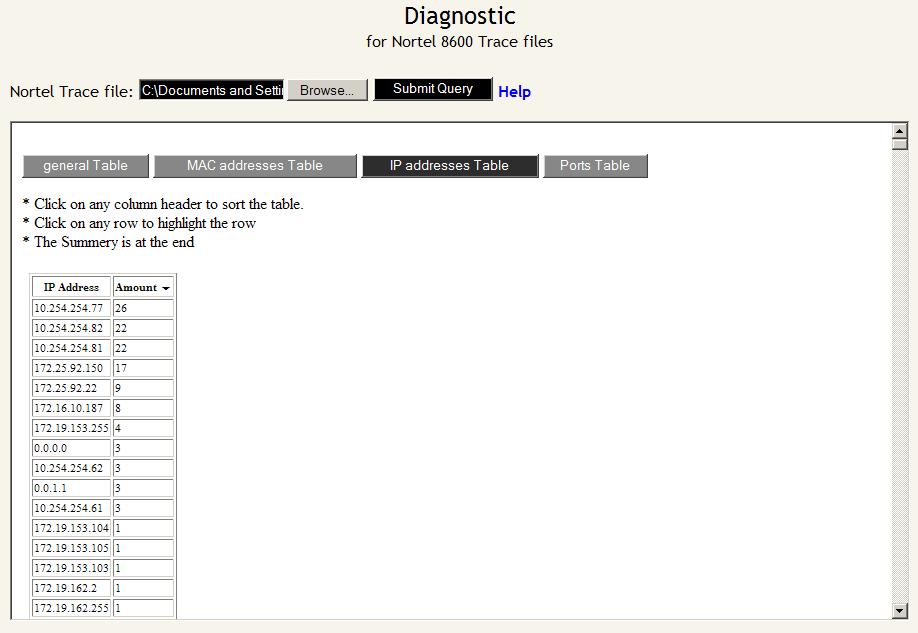
Finds how many times each port, IP and MAC is in the log file,
In case of high CPU, port / IP / MAC that appears most can cause it
Help
If you have high CPU load on your Nortel ERS 8600 (passport 8600)
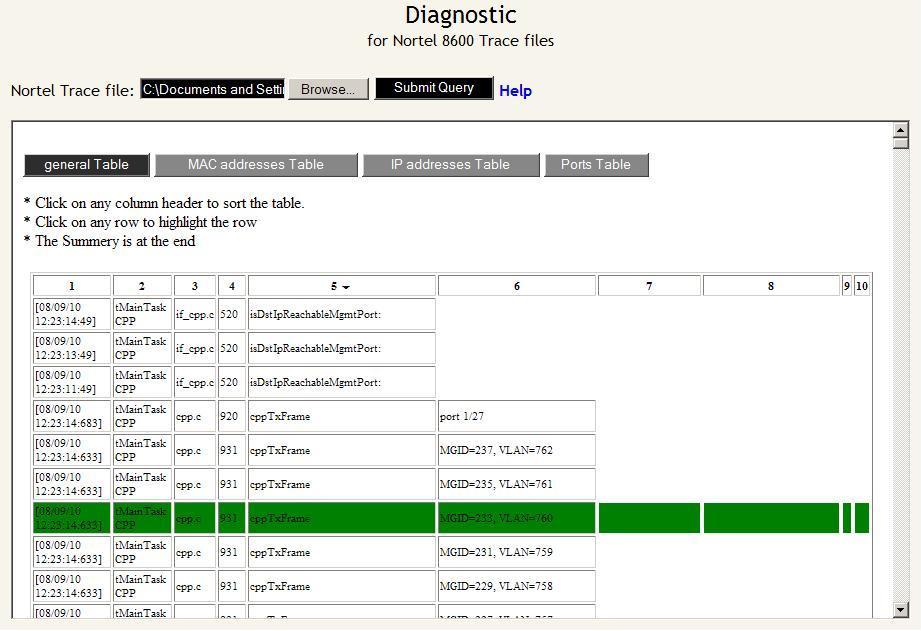
This tools shows the Trace file as a sortable table
very helpful to determine, analyze, diagnose what is causing such high load
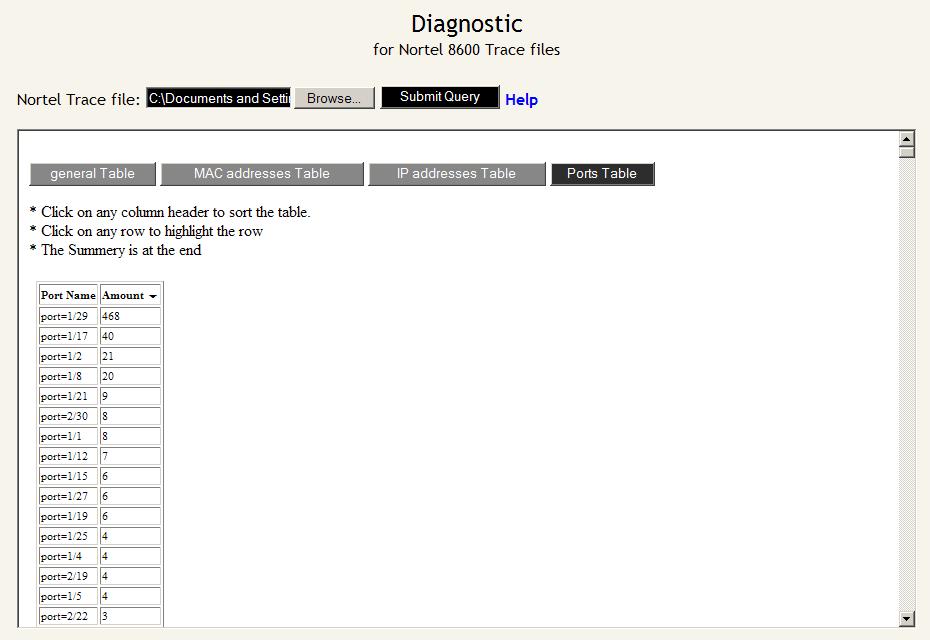
also you can see a sortable table of MAC addresses, IP addresses and Ports
on eatch table you can find the amount of every MAC/IP/Port that appears at the trace file
To do a trace at 8600 enter the following commands:
| trace clear trace screen off trace level 9 3 wait a minute or two and start to log the session (save the output to log file) trace off trace info |
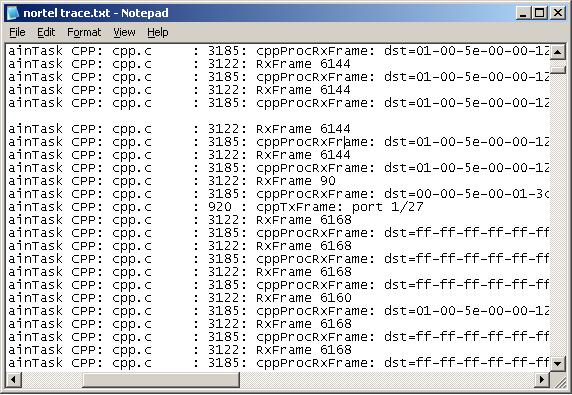
after that you enter the ‘info’ you will see alot of lines that shows what the CPU was doing at that time
Tip:
To check the CPU status use the command-
| show sys perf |
Examples:
 |
 |
 |
 |
 |
I am genuinely delighted to read this blog posts which carries plenty of helpful data, thanks for providing these statistics.